Materials and teaching guidance, together
Find the resource, follow the teaching steps, and access instructional videos within the same system, connected to the learner’s individual plan.
FOR EDUCATORS
Receive lesson plans and teaching schedules in the connected UDL/AAC app. Record learner responses, teaching input and comments during the lesson; these return to the LMS in real time and feed the automated reporting system.
Plan → activity → evidence → review
During your walkthrough, confirm which tools are currently available and how they fit your setting.
CONNECTED SUPPORT
Use ready-to-teach activities, visual supports and adjustable teaching packs. Keep lesson evidence connected to learner goals, then use it to inform reports and your next teaching decision. Discuss framework training and WIKISEN resources during your demonstration.
“your program of learning, with the extraordinary number of materials, is extremely impressive.”
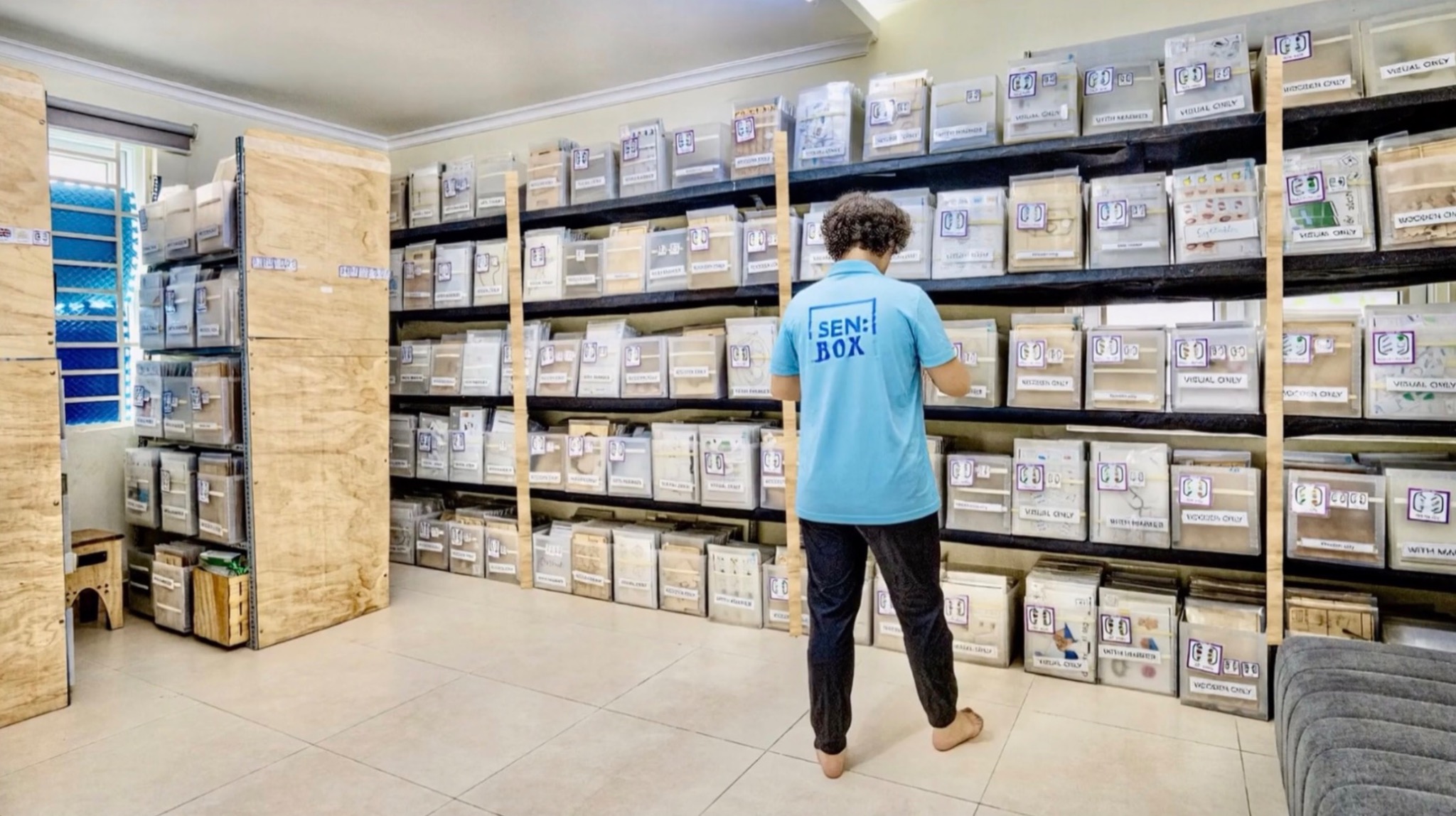
SENBOX connects 40,000 teaching resources with structured teaching steps, instructional videos, and individual learning plans through the LMS. Teachers can access both the materials and guidance for using them within the same system.
Find the resource, follow the teaching steps, and access instructional videos within the same system, connected to the learner’s individual plan.
Select tasks at an appropriate level for each learner’s current skills and learning goals. The structured resource library supports personalised task selection.
Link tasks to the US Common Core, Singapore, UK, Australian, and other curriculum frameworks, connecting personalised instruction with the curriculum your school follows.
Keep learners connected to classroom topics while adapting activities, support and response methods.
SENBOX helps your team identify each learner’s current abilities, communication needs, interests and barriers to participation, then connect those findings with appropriate goals, activities and teaching strategies. This helps schools move learners from simply being present in class toward actively participating in learning.
SENBOX helps teachers keep learners connected to the same classroom topic while adjusting the level, format and response method. Activities can be delivered through reading, writing, matching, AAC, visual support, physical materials, printable resources or digital tasks.
SENBOX gives teachers access to alternative activities while keeping the original learning objective in focus. A replacement activity may be available digitally, as a printable resource, through an existing physical resource or through a specialised SENBOX resource.
Find linked resources, capture meaningful progress and spend less time reconstructing reports.
SENBOX can connect physical inventory directly with lesson planning. Teachers can see which resources are linked to an activity, where they are stored and whether they are currently available or in use.
A teacher can plan a lesson and immediately know what is available without opening a separate inventory system.
SENBOX helps adapt learning materials through visual support, simplified instructions, different levels of difficulty, AAC support, reduced task complexity, alternative response methods and printable or digital formats.
This helps more learners access the classroom programme while working at an appropriate level.
SENBOX helps organise evidence while teaching is happening. When reporting time arrives, staff already have a structured record of activities, observations, progress and learner outcomes, reducing the time required to reconstruct months of information.